
Amazon EKS for Data Workloads — A GCP Engineer's Perspective
Navigating EKS coming from GKE. Key differences in IAM, networking, and managed add-ons for running data workloads on AWS Kubernetes.
· projects · 2 minutes
Amazon EKS for Data Workloads — A GCP Engineer’s Perspective
If you’ve worked with GKE on GCP and find yourself on a team using Amazon EKS, the Kubernetes layer is identical — but the surrounding AWS ecosystem has its own idioms. Here’s a translation guide focused on data engineering workloads.
IAM Integration: IRSA
On GKE, Workload Identity maps a Kubernetes service account to a GCP service account. On EKS, the equivalent is IAM Roles for Service Accounts (IRSA). You create an IAM role with policies for the AWS services your pipeline needs (S3, Redshift, Secrets Manager), then annotate the K8s service account:
apiVersion: v1kind: ServiceAccountmetadata: name: etl-pipeline annotations: eks.amazonaws.com/role-arn: arn:aws:iam::123456789:role/etl-pipeline-rolePods using this service account automatically receive temporary AWS credentials. No access keys stored anywhere.
Networking: VPC and Subnets
EKS clusters run inside a VPC. Your data sources (RDS databases, Redshift clusters, ElastiCache) need to be in the same VPC or connected via VPC peering. This is the most common “it works locally but not on EKS” issue — the pod can’t reach the database because of security group or subnet configuration.
For data pipelines that need to access S3, you’ll want a VPC Endpoint for S3 to avoid routing traffic through the public internet. This improves both performance and security.
Node Groups and Scaling
EKS supports managed node groups and Fargate profiles. For batch data workloads:
- Managed node groups with cluster autoscaler: good for large Spark jobs or memory-heavy transformations where you need specific instance types (e.g.,
r6i.2xlargefor memory-intensive workloads). - Fargate: good for lightweight, bursty workloads. No nodes to manage, but less control over instance types and slower cold-start times.
Karpenter is increasingly replacing the cluster autoscaler on EKS. It provisions nodes faster and makes smarter instance type decisions based on your pod resource requests.
Logging and Monitoring
On GKE, logs flow to Cloud Logging automatically. On EKS, you need to set up log routing explicitly. The standard approach:
- Install the Fluent Bit DaemonSet (or the AWS-maintained
aws-for-fluent-bitimage). - Route container logs to CloudWatch Logs, or to your own Loki/Elasticsearch stack.
- Use Container Insights for basic cluster metrics, or install the OpenTelemetry Collector for richer observability.
The Translation Table
| Concept | GKE | EKS |
|---|---|---|
| Pod IAM | Workload Identity | IRSA |
| Registry | Artifact Registry | ECR |
| Autoscaling | GKE Autopilot / Autoscaler | Karpenter / Cluster Autoscaler |
| Serverless pods | GKE Autopilot | Fargate |
| Logging | Cloud Logging (automatic) | Fluent Bit → CloudWatch (manual setup) |
| Secrets | Secret Manager + CSI driver | Secrets Manager + CSI driver |
| Load Balancer | GKE Ingress | AWS Load Balancer Controller |
Practical Advice
If you’re deploying data pipelines on EKS, invest time in getting IRSA and networking right first. Most debugging time on EKS isn’t about Kubernetes — it’s about IAM policies and security groups. Use kubectl exec to shell into a pod and test connectivity (curl, nslookup, aws s3 ls) before blaming your application code.
Takeaway: Kubernetes is Kubernetes, but the AWS wrapper around EKS has a learning curve. Master IRSA for secure authentication, understand VPC networking, and set up logging explicitly. The rest transfers directly from GKE.
More posts
-
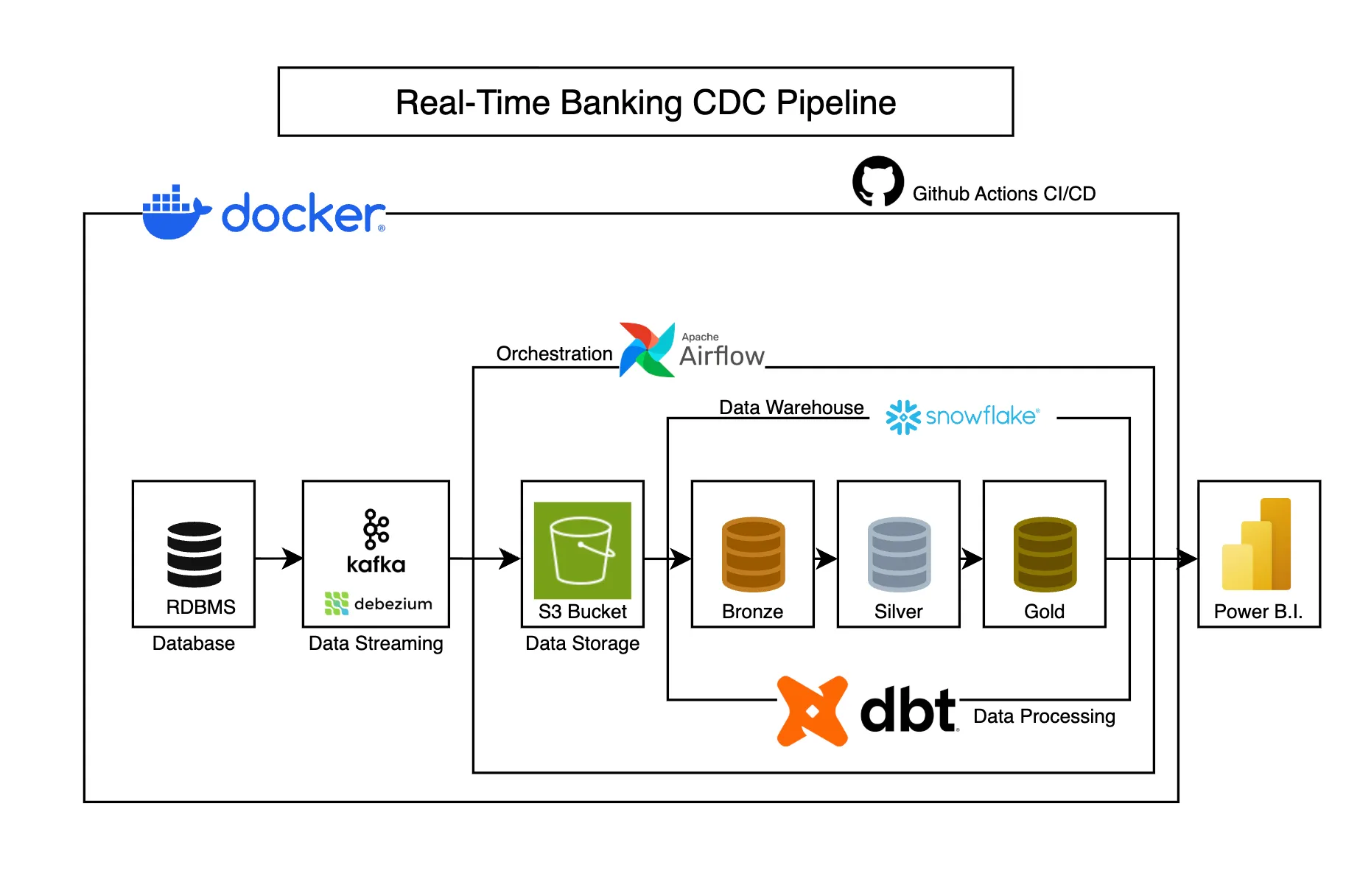
Real-Time Banking CDC Pipeline
Captures banking transaction changes in real-time using CDC, transforming operational data into analytics-ready models for business intelligence.
-
Grafana Dashboards for Data Platform Health — What to Build First
Build actionable Grafana dashboards for data platforms. Pipeline latency, data freshness, error rates, and cost tracking visualizations.
-
BigQuery Cost Optimization - 5 Patterns Every Data Engineer Should Know
Reduce BigQuery costs with partitioning, clustering, materialized views, and query optimization techniques that actually work in production.